|
ICEB 2026 Publication Fee
PAYMENT GATEWAY for Publication Fee
Publication fee is due on August 01, 2026. Online credit card payment is available for all participants. Please note that the payment gateway uses TWD (fixed at US$1 = NT$32), and the publication fee is US$220 (equivalent to NT$7000). Starting August 2, there will be a late charge of US$50. Scholars from Mainland China may encounter problems in the 3D verification process, please email the Proceedings Editor, Prof. Eldon Li at [email protected] for assistance, with a subject title of "ICEB 2026 publication fee". Once your payment is received, the ICEB Home Office will issue an official invoice to you electronically for your expense reimbursement. Finally, please follow the instructions below to make the credit-card payment in TWD (NT$).
INSTRUCTIONS:
Starting ICEB2026, the credit card payment for the publication fee will be collected by the Online Donation System of Chung Cheng University in Taiwan.
-
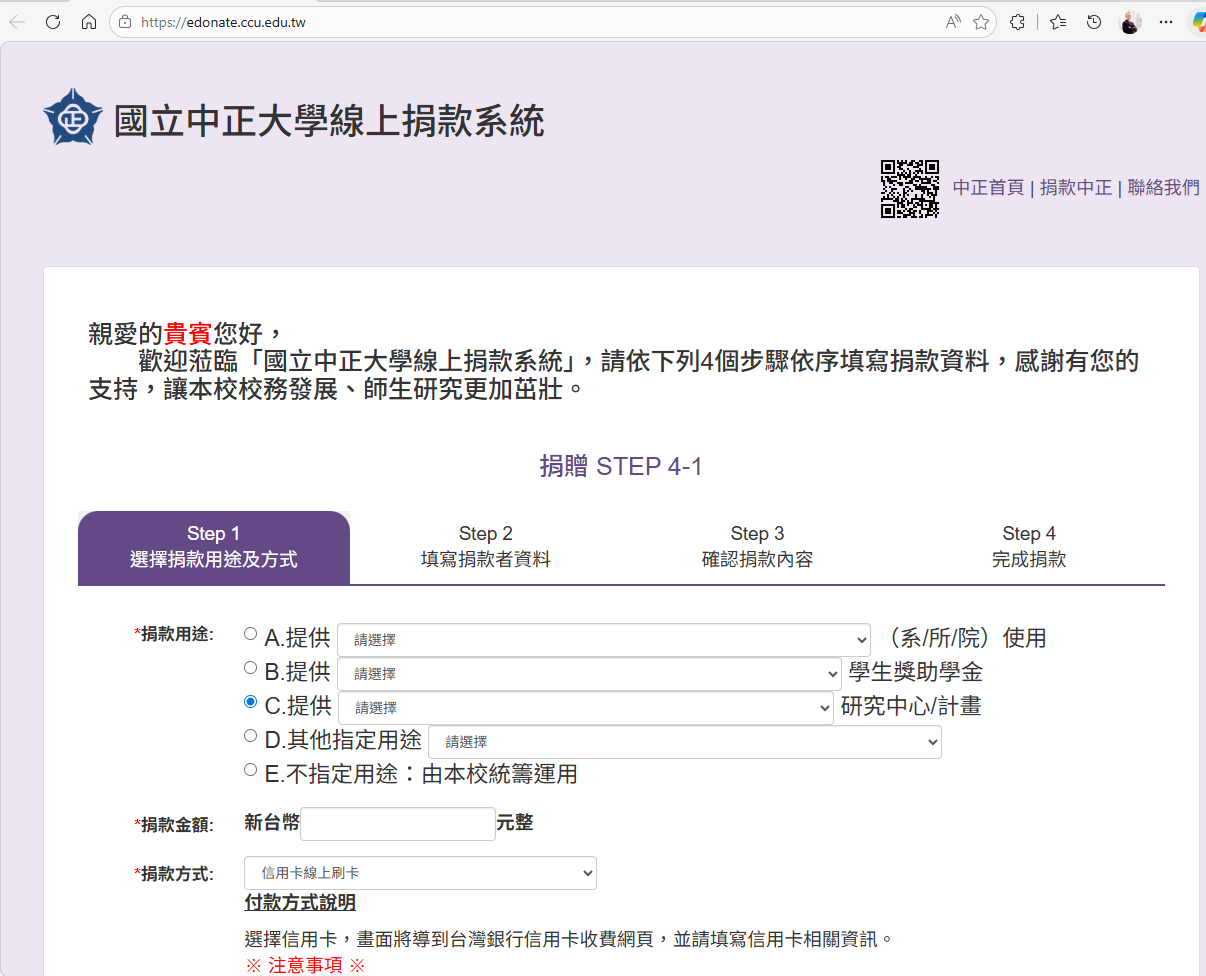
Please open the link below to see a Chinese homepage as follows. We sincerely apologize that no English version is available. You may use your browser's "Translate" function to see the pages in English.
https://edonate.ccu.edu.tw/
-
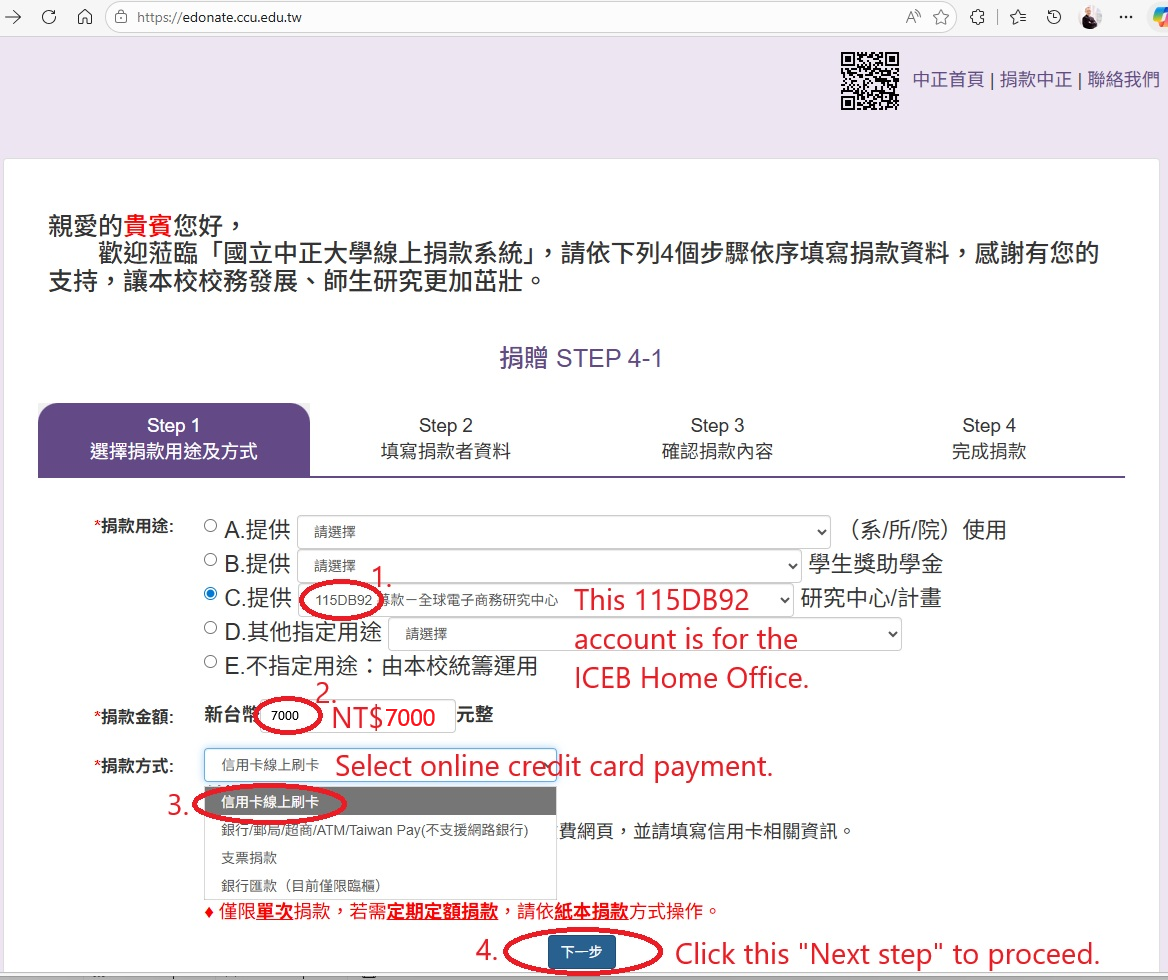
Please follow highlighted items 1 to 4 of STEP 4-1 in the figure below to fill out the donation information.
-
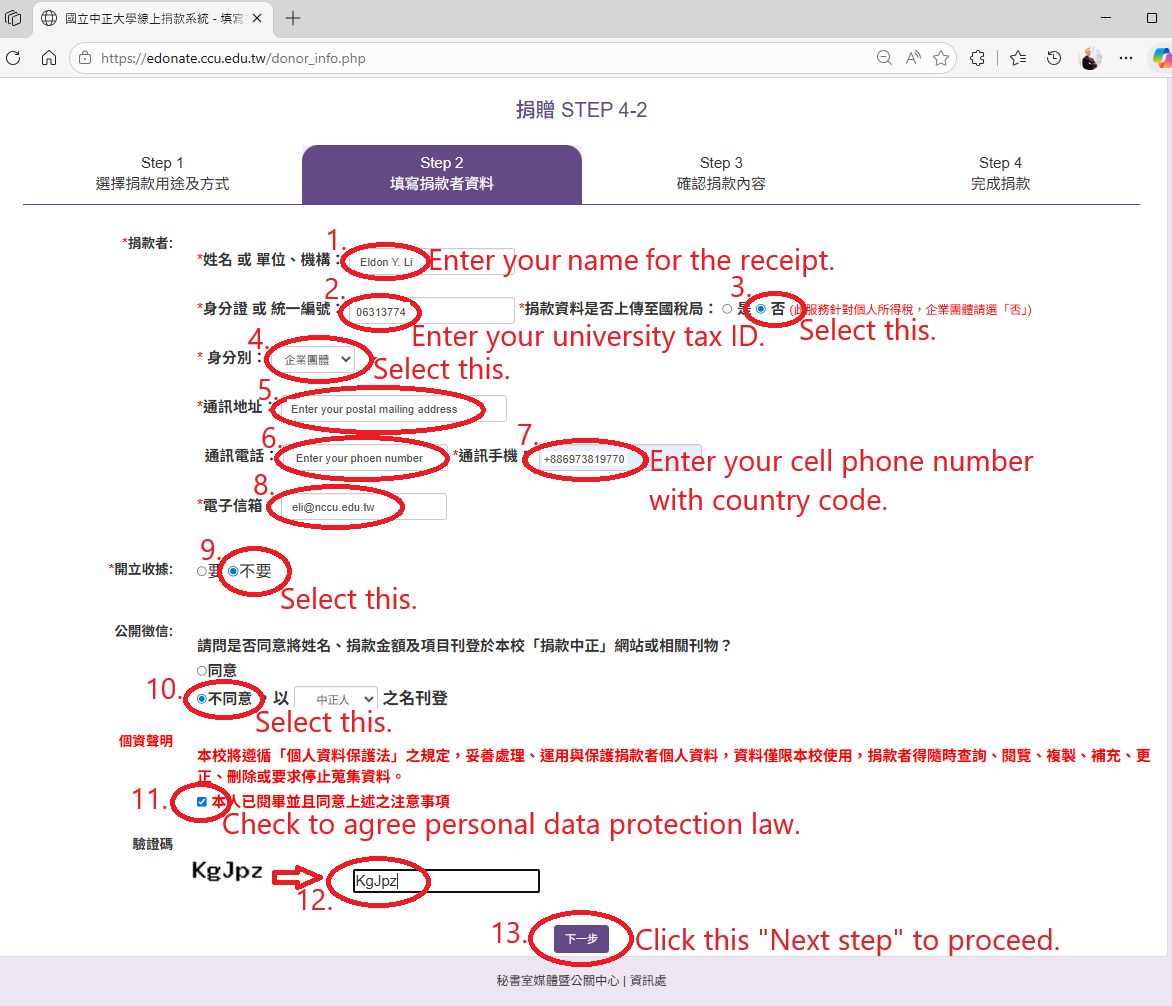
Next, please fill out your personal information in English in STEP 4-2. Then, move to the next page.
-
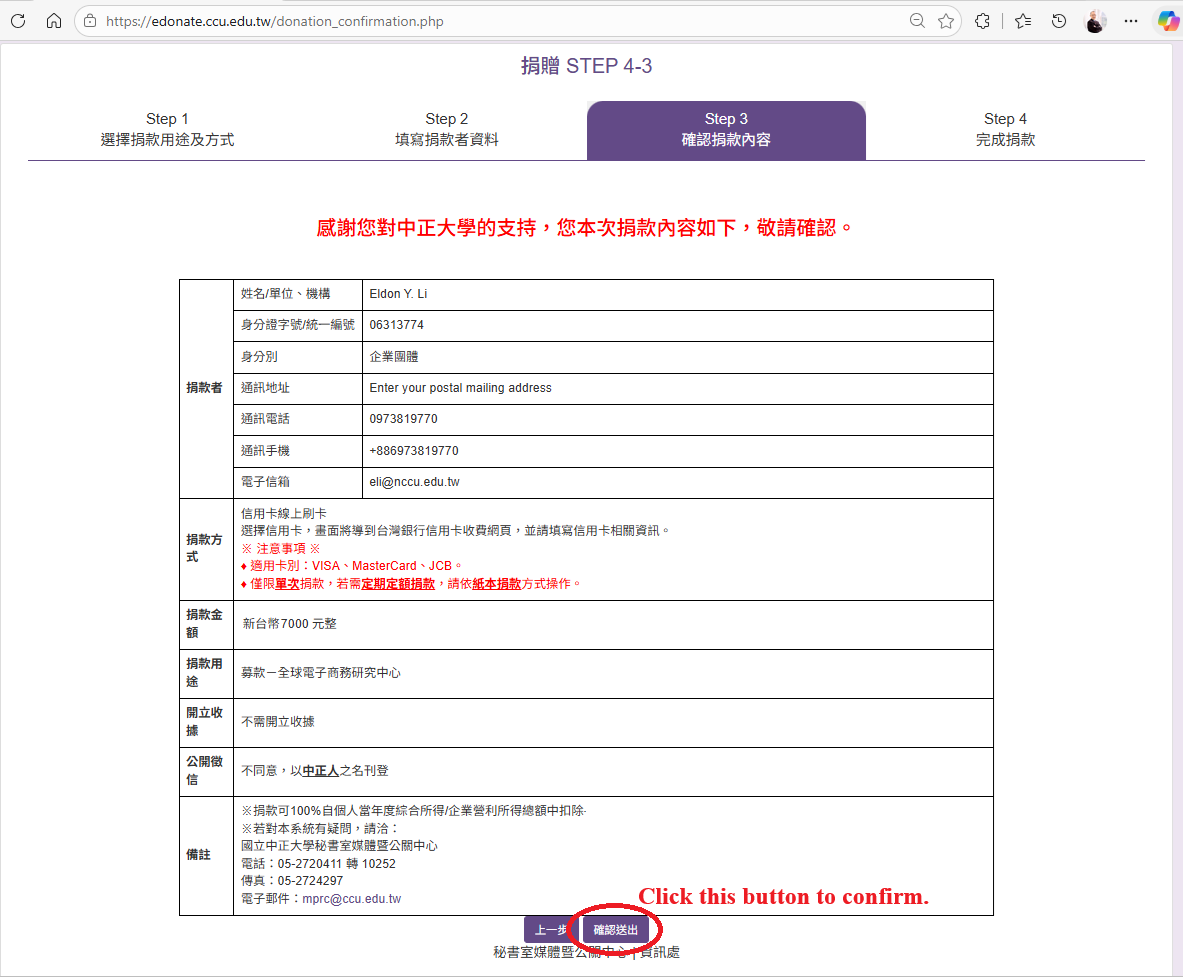
Click the button to confirm the information and complete STEP 4-3.
-
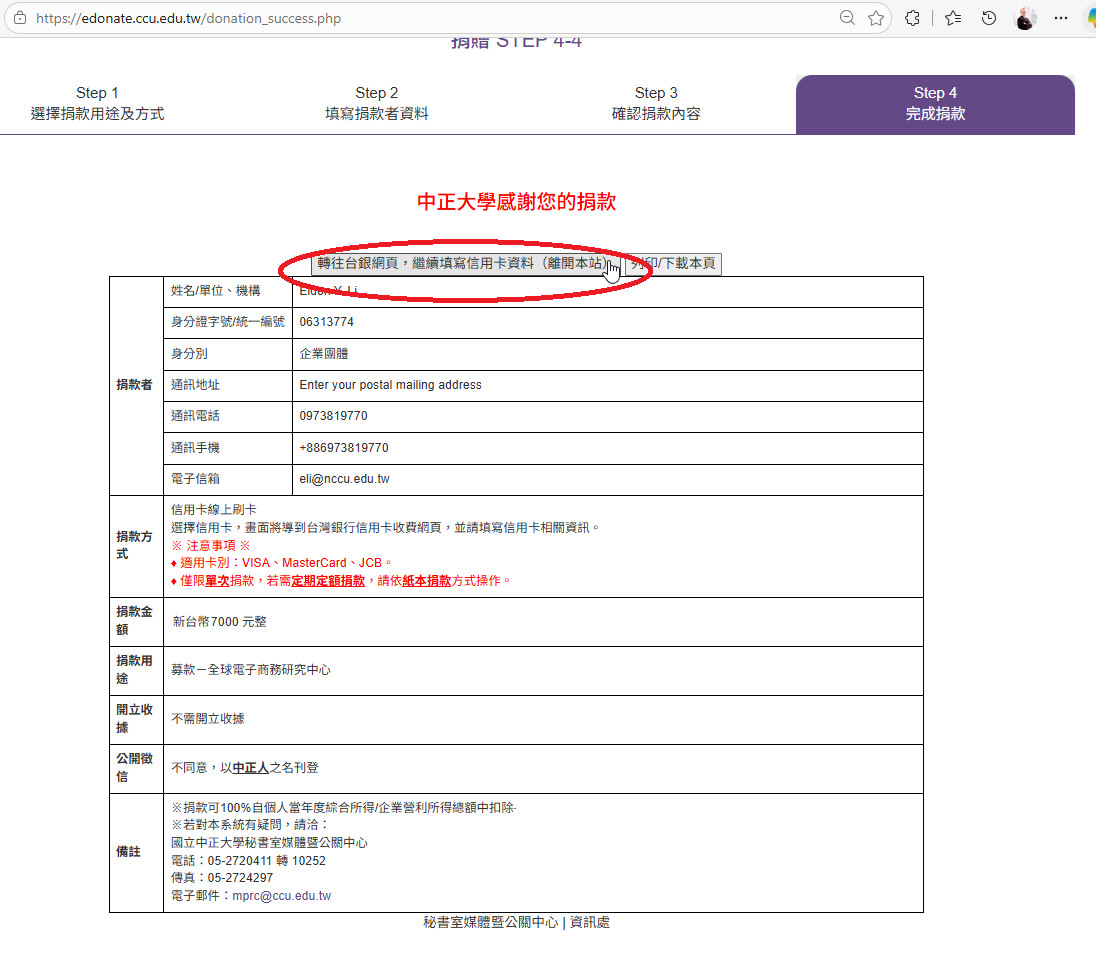
Click the top-left button to complete STEP 4-4 and start entering your credit card information.
-
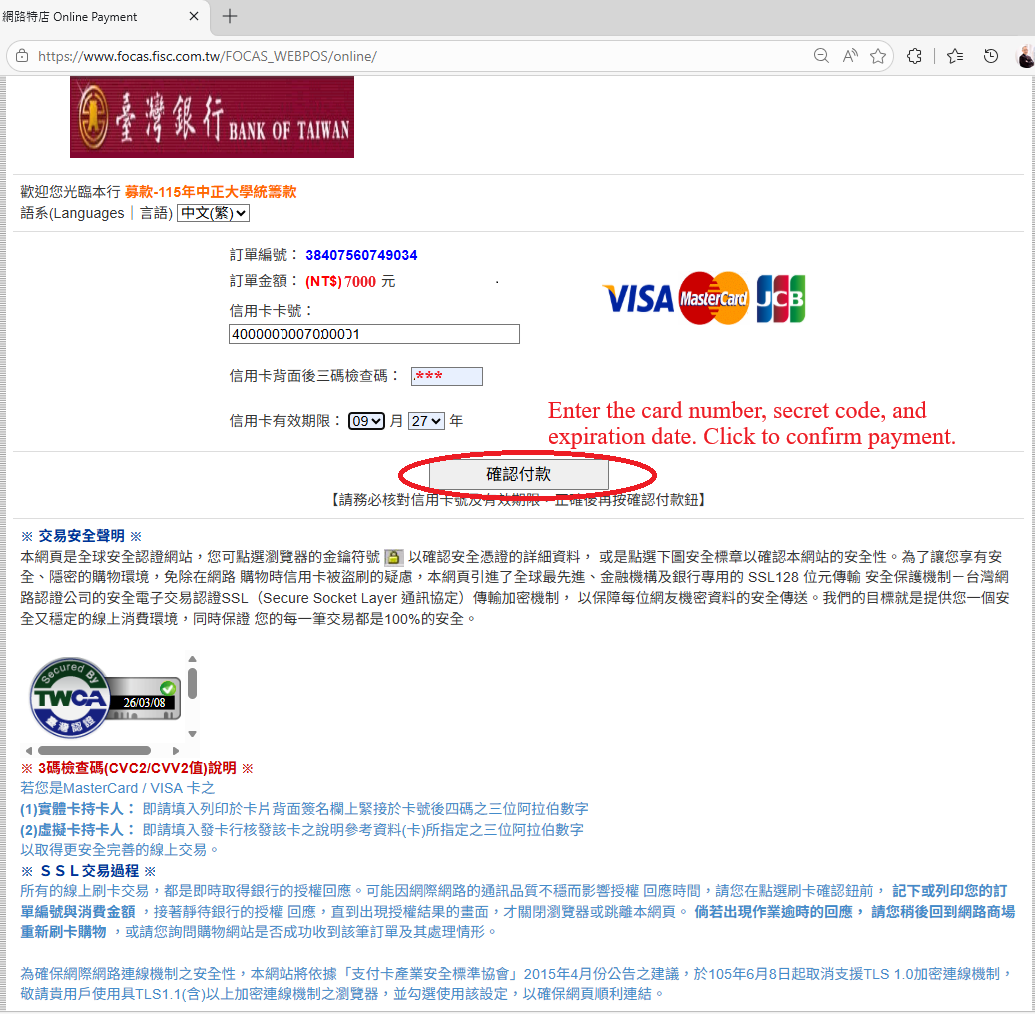
Enter the card number, the secret code, and the expiration date. Then, confirm and submit the payment.
-
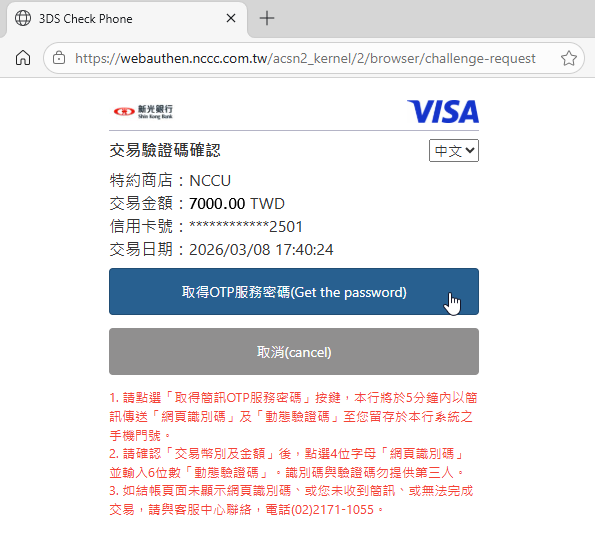
Once you "Confirm a Payment", the system will prompt you to get the password (a One-Time Password, OTP, or One-Time Authorization Code, OTAC) from your credit card issuer. This will trigger the 3D verification process. When you click the "Get the password" option, the card's bank will send you the code by email and an instant text message, and the system will display a six-digit text box for you to enter the code. Please follow the instructions to complete the process. The ICEB Home Office will see your payment in the system and send you an official invoice electronically in one week.
-
Thank you very much for your payment !!!
| 

 ICEB Home